Quick Start Guide

Welcome to your Slim Ring

أهلاً بك في خاتم آي تسبيح للذكر

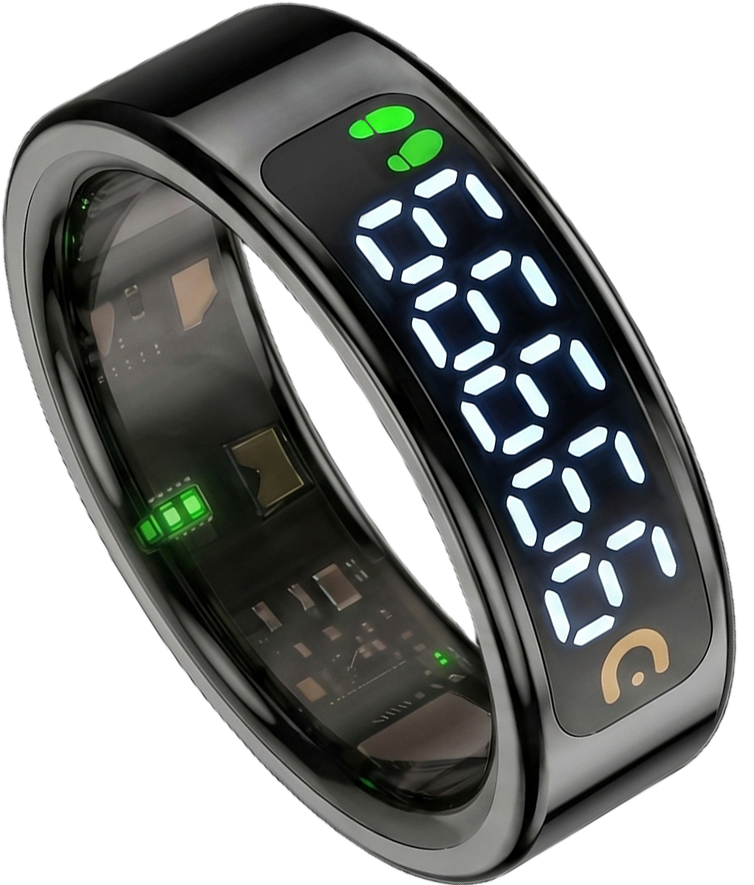
Five gentle steps to set up your iTasbeeh Slim Ring and begin your first dhikr — a slim daily companion with a clear 5-digit LED display.

iTasbeeh Slim Ring
01 Unbox

Open the box, meet your companion.

Take a moment to lay out everything inside your Slim Ring gift box. Each item plays a role in your daily ritual — from the charging accessory to the three cards and printed user manual.

Remove the clear protective film A transparent film covers the ring's magnetic charging contacts. Before first use, peel off the film, connect the included magnetic charging cable to power, and let its magnetic head align with the ring contacts.
  • 1 × Slim Ring iTasbeeh Slim Ring with a clear 5-digit LED display
  • 1 × Charging Case Velvet interior · USB-C input · about 4 ring recharges
  • 1 × USB-C Cable For charging the case
  • 1 × Magnetic Charging Cable Magnetic-snap cable that attaches directly to the ring's charging contacts.
  • 3 Cards + User Manual Warranty & Authenticity Card, Thank You Card, Quick Start Card, and printed user manual
1 × Slim Ring
Obsidian Black
Charging Case
USB-C · about 4×
USB-C Cable
1 meter
Magnetic Cable
Snaps to the ring
Cards + Manual
Warranty · Thanks · Quick Start
02 Charge

Place the ring, let it sip energy.

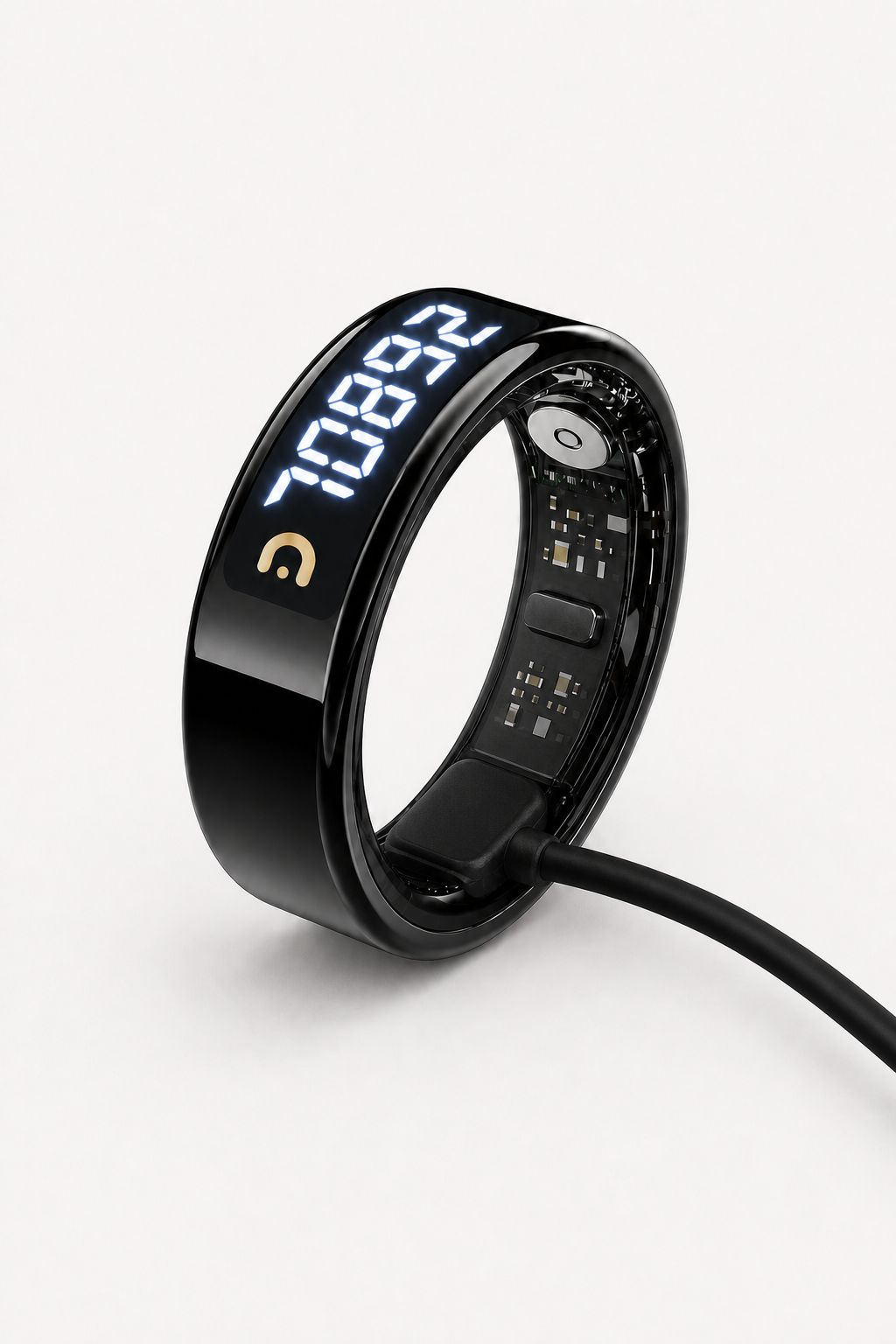
After removing the protective film, connect the included magnetic charging cable to power and align its magnetic head with the ring contacts. A full charge usually takes about 60 minutes; for the first setup, allow up to 60–90 minutes.

  • Connect the magnetic charging cable Connect the included magnetic charging cable to a compatible USB power source, then let the magnetic head align naturally with the ring contacts. Do not force or twist it.
  • Charging time A full charge usually takes about 60 minutes. For first setup, allow up to 60–90 minutes for the ring to be fully ready.
  • Check the battery Confirm that the ring shows a charging indication. After pairing, you can also open the iTasbeeh app to view the battery level.
Slim Ring connected to its magnetic charging cable
03 Download App

Get the iTasbeeh app.

Download the iTasbeeh app directly from the buttons below. The app helps you track dhikr, prayer rhythm, Qibla direction, and supported health monitoring data for daily reference.

iTasbeeh app dashboard
04 Pair Ring

Connect your ring to the app.

Pairing takes less than a minute after the ring is charged and powered on. The Slim Ring uses Bluetooth Low Energy for an efficient, secure link to your phone.

  • Power on & enable Bluetooth After charging, press and hold the touch area until the ring powers on or vibrates. Then enable Bluetooth and grant the app permission.
  • Open the app & sign in Create your iTasbeeh account with email, Apple ID, or Google. It only takes seconds.
  • Tap "Add device" Keep the ring close to your phone and select the device shown in the app to pair.
  • Set location & prayer method Allow location access for precise prayer times and Qibla compass.
Pairing…
iTasbeeh Ring
Searching…
Connect
05 Start Dhikr

A single touch, a deeper presence.

Wear the ring on any finger — most prefer the index. Open the counter in the app or wake the ring into counting mode, then gently tap the touch area with your thumb to count.

  • Enter counting mode, then tap Open the counter in the app or wake the ring into counting mode. Then short-press the touch area — one tap equals one dhikr.
  • Milestone vibrations Gentle haptic at 33 · 99 · 100 — set custom goals in the app.
  • Sync to app Open the app to see your daily count, session history, and supported health monitoring data.
  • Gentle Salam Balance reflection Notice gentle patterns between your dhikr routine and wellness signals such as sleep, stress, and heart rate. Not a medical diagnosis.
  • Health monitoring reference View supported heart rate, SpO2, HRV, sleep and activity data in the app — for daily wellness reference only. Not a medical device.
33
Today's Dhikr
سُبْحَانَ ٱللَّٰه
Tap the ring with your thumb
See it in action

A quick hands-on walkthrough.

A real-life demo of how to wear the ring, charge it, and count your daily dhikr in one continuous flow.

Pro Tips

Live your best Salam life.

Designed for daily wear

Comfortable for everyday dhikr, prayer reminders, and gentle wellness tracking. Avoid hot water, saunas, steam rooms, diving, and high-pressure water.

Get the right fit

If the ring feels too loose or too tight, contact support before long-term use. A proper fit improves comfort and wellness readings.

Dhikr works offline

Basic dhikr counting works without internet. Prayer time, Qibla, syncing, health monitoring data, and firmware updates may require the app, location permission, Bluetooth, or internet.

Magnetic charging for daily use

The ring typically lasts 3–5 days per charge. Recharge it with the included magnetic charging cable. Actual battery life depends on reminders, vibration, screen use, and connection frequency.

Frequently asked

Quick answers.

Remove the clear protective film from the charging contacts, connect the included magnetic charging cable to power, and align it with the ring contacts. Charge for 10–15 minutes, then press and hold the touch area until the ring powers on or vibrates. If it still does not respond, try another compatible USB power source and contact support.
Make sure the ring is charged and powered on. Keep it close to your phone, enable Bluetooth, and allow the app permissions. If the ring was connected before, remove the old device record in the app and tap Add Device again. If it still cannot be found or seems locked to another phone, please contact support with your order number or serial number.
In counting mode, press and hold the touch area for 6 seconds to open the clear-count confirmation. Follow the confirmation step to avoid accidental clearing. Clearing a dhikr session only resets the current count; it does not factory-reset the ring or remove your pairing.
Most users prefer the index or middle finger for easier thumb tapping. For wellness readings, the fit should be snug but comfortable — not too loose and not too tight.
Basic dhikr counting and milestone vibrations can work without opening the app. To sync records, set prayer reminders, use Qibla, view health monitoring data, or update firmware, please pair the ring with the iTasbeeh app.
Yes. The ring is rated IP68 (5ATM) for daily water exposure, such as wudu, hand-washing, rain, and light splashes. Please avoid hot water, saunas, steam rooms, diving, high-pressure water, and wearing it in salt water for long periods. Dry the ring before charging.
The ring typically lasts 3–5 days on a full charge. Recharge it with the included magnetic charging cable. Battery life varies with vibration, reminders, screen use, temperature, and connection frequency.
Basic dhikr counting does not require internet. App download, account login, cloud sync, health monitoring data, firmware updates, and some prayer/Qibla features may require internet, Bluetooth, or location permission.
Scan the Warranty & Authenticity QR code on the card included in the box, or open the iTasbeeh app to register your ring. Products purchased from unauthorized channels may not be eligible for full warranty support.
No. Salam Balance is not a medical diagnosis, treatment, or religious judgment. It is a gentle reflection tool that combines dhikr, prayer rhythm, and wellness signals to help you understand your daily rhythm.
No. The Slim Ring is not a medical device. Heart rate, SpO2, HRV, sleep and activity data are for daily wellness reference only. They are not intended to diagnose, treat, cure or prevent any condition. Please consult a qualified clinician for medical decisions.
Need a hand?

We're here, every step of the way.

Our concierge team responds within one business day. Whether it's a setup question, sizing concern, or just want to share your first dhikr milestone — we'd love to hear from you.